Alerts and video from every Site,
see them in one view
As you operate EVA across more servers and Sites, you need a single view for alarms and video.
EVA live brings Detection alarms and real-time camera video from multiple EVA servers together on one screen.
Reviewing alarms, checking Site video, and taking action become one connected workflow.
From reviewing alarms to taking action, all in one view
Collect
Alarms from multiple servers and Sites come together in one view
Check
Check the situation using the alarm scene and a video clip from the time of the event
Watch
Select priority cameras and view their real-time video together
Act
Go directly from a camera to EVA App to adjust its Scenarios
Benefits
EVA live Advantages
Different Servers, One Alarm View
Alarms from all servers and Sites are brought together in chronological order.
Check the Site When an Alarm Arrives
Select an alarm to check what happened in a video clip from the time of the event.
Only the Alarms Your Work Needs
Set alarm reception for each Scenario to receive alarms relevant to your responsibilities.
Focus on Priority Cameras
Select cameras across servers and bring them together in a 16-tile view.
Enter Action Results and Feedback Right Away
Enter action results and user feedback directly where you review an alarm.
Go from a Camera to EVA Settings
Click a camera to go directly to EVA and add or edit Scenarios, targets, and other settings.
Unified Alarm View
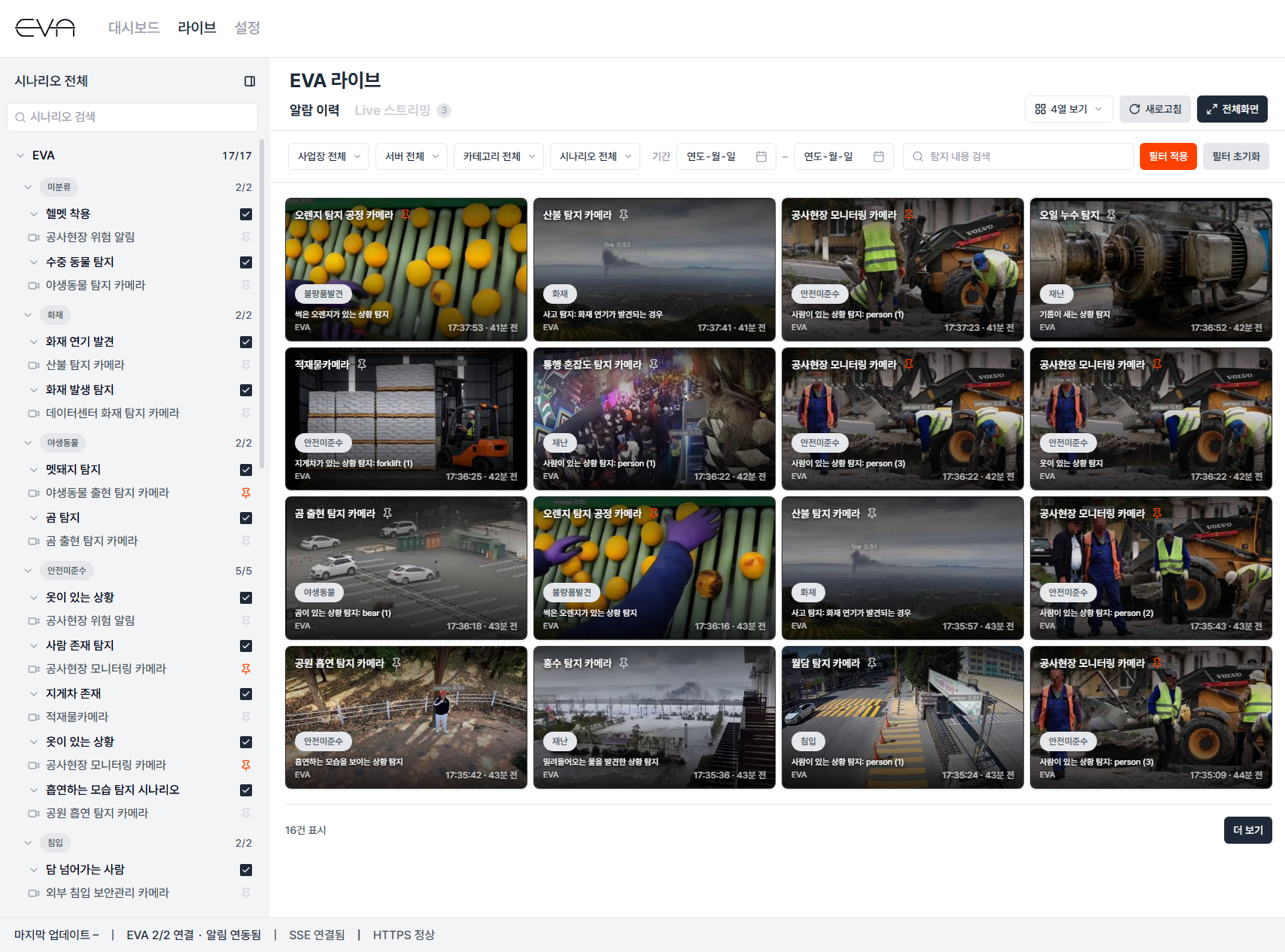
Alarms from Multiple Servers, Together in Chronological Order
View alarms from all servers and Sites in chronological order. Each alarm also shows which camera detected the situation and what happened.
Filter alarms by Site, server, category, Scenario, period, or search term. You can also change the view and switch to full screen.
Event Video
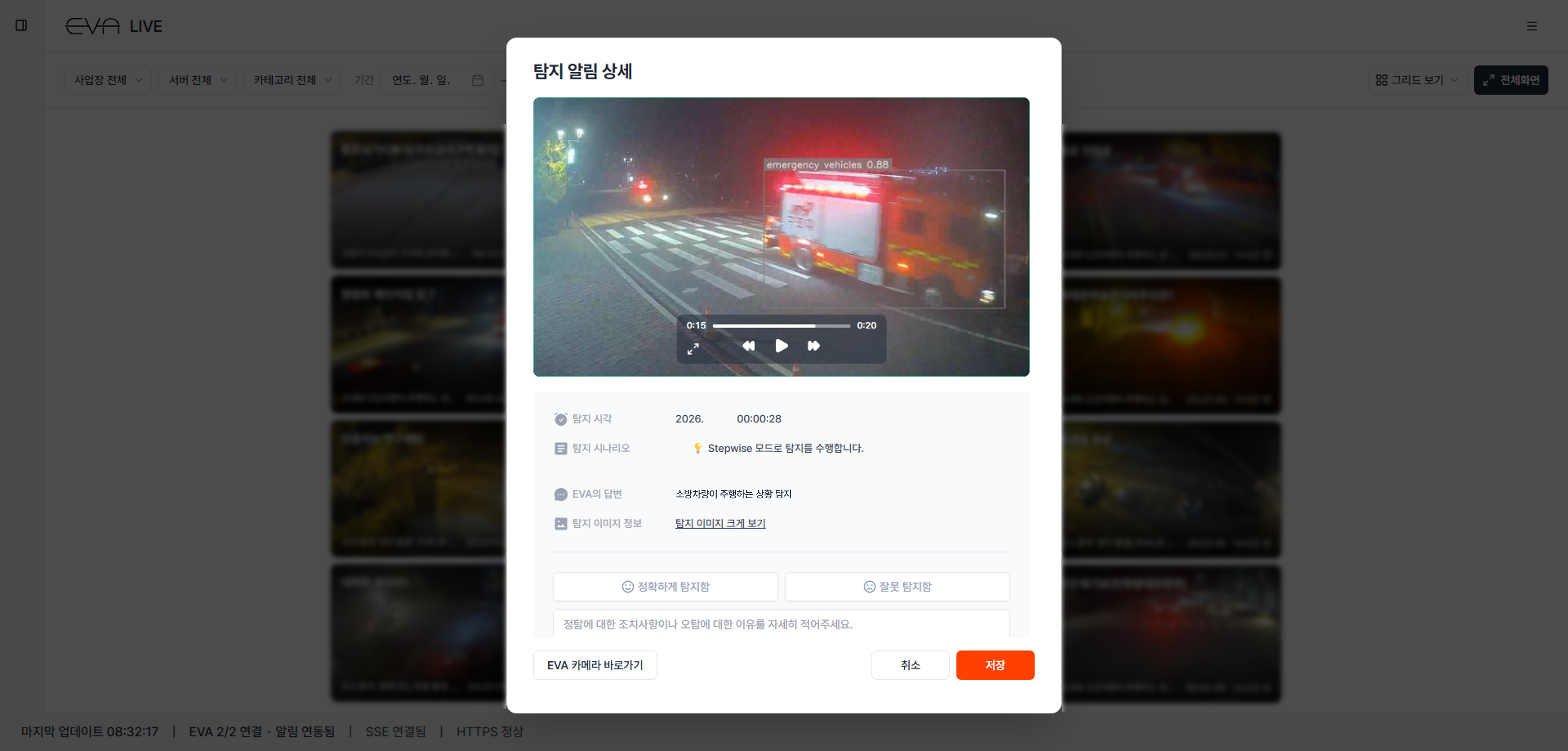
Check the Alarm Scene in Video
Select an alarm to check the Site situation in a video clip from the time of the event.
When an image alone is not enough to assess the situation, video helps you decide whether action is needed.
Alarm Reception by Scenario
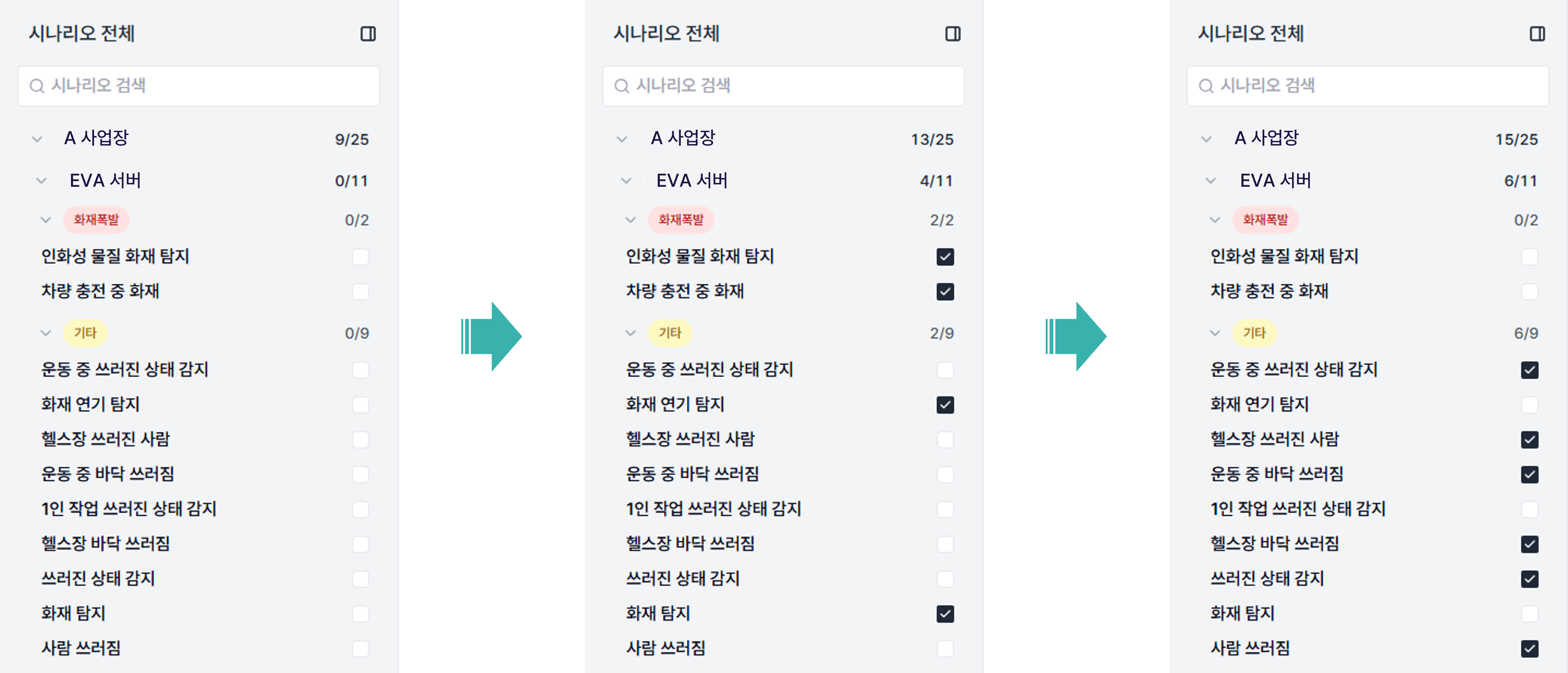
Choose the Alarms Your Work Needs
Set whether to receive alarms for each Scenario.
Receive the alarms relevant to your responsibilities so you can focus on the ones you need to review.
Live Streaming
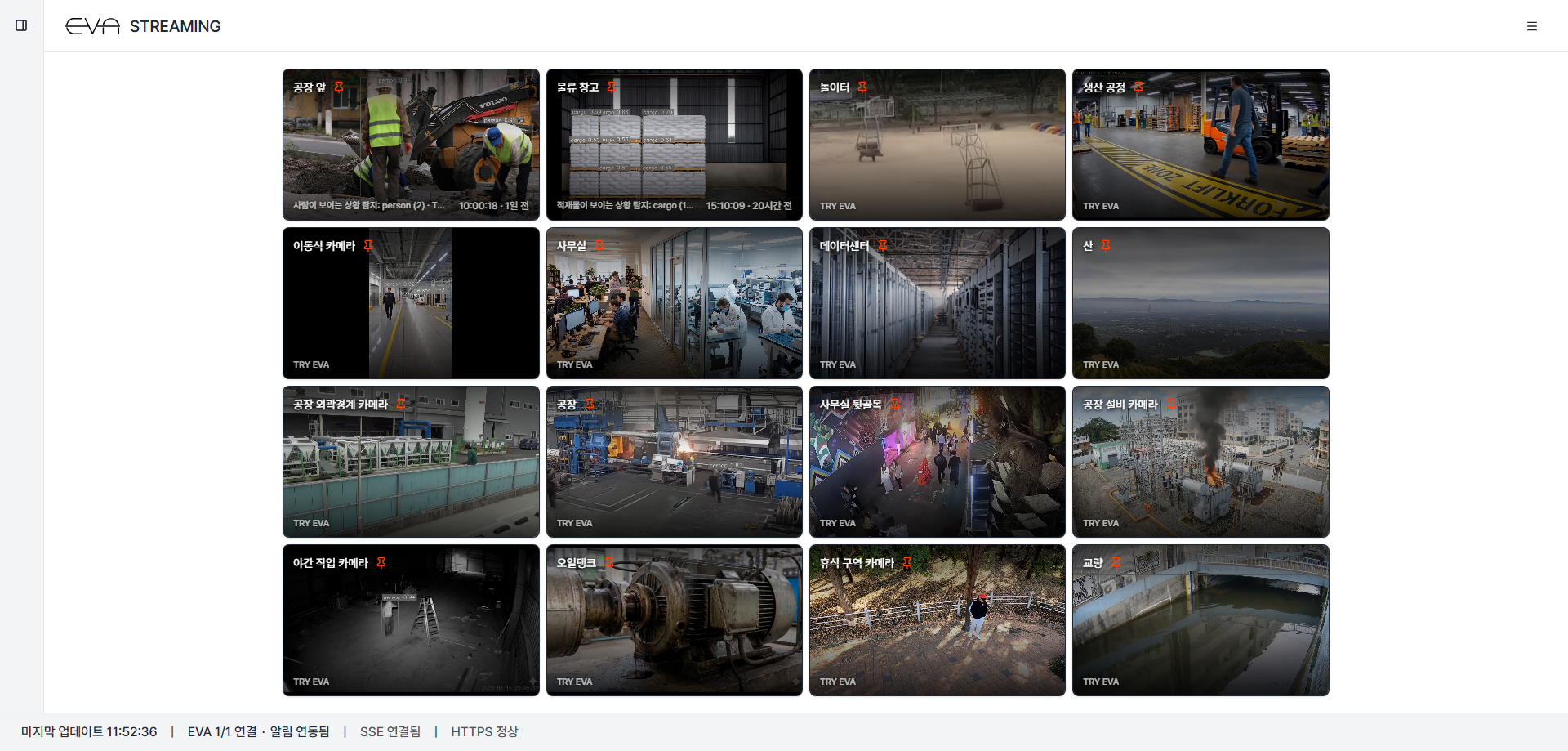
Choose the Cameras You Need to Watch, in Real Time
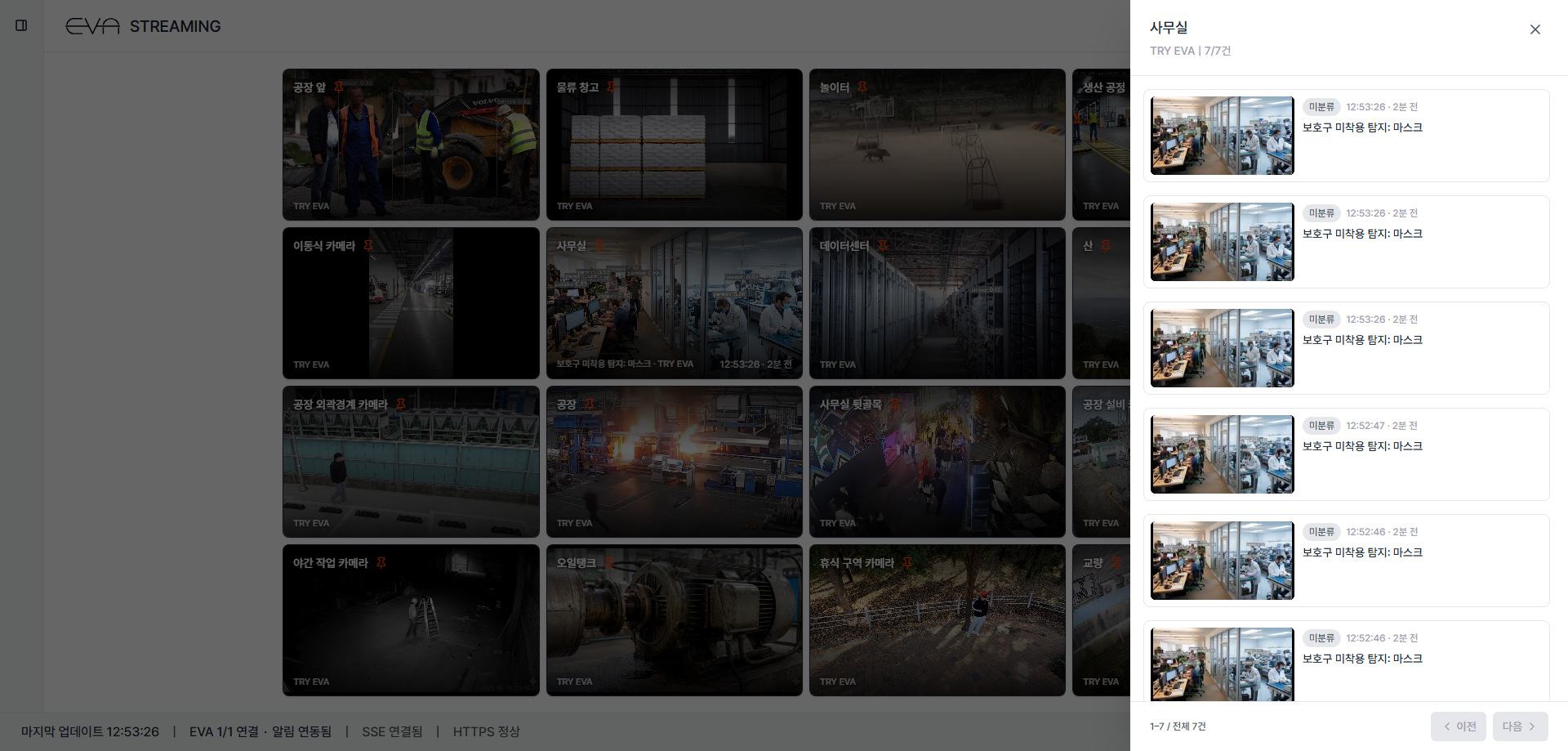
Bring real-time video from cameras across servers together in a 16-tile view. Select priority cameras to subscribe to or exclude from Monitoring.
Switch between the Alarm History and Live Streaming tabs on the same screen to check alarms and video together.
Alarm History by Camera
Recent Alarms from One Camera, in One Click
Use the alarm information button for a camera to view its recent Detection history.
See whether alarms repeat on a particular camera and which situations are detected frequently.
Explore EVA live
If EVA watches your Sites, EVA live brings the results together in one view. Connect reviewing alarms and taking action into a single workflow.